If you have upgraded to the new Outlook, this will have stopped your HubSpot functionality from working. This means that any emails sent do not create a log in HubSpot.
- In the top right corner of your Outlook emails, there is a toggle switch.
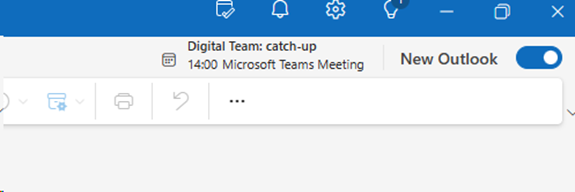
- Click on the switch to revert to the old version of Outlook.
- Click on ‘Skip Feedback’
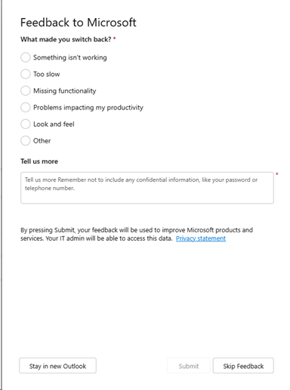
You will then be signed back into Outlook.
- To turn ‘HubSpot tools’ back on, restart your laptop.
Outlook on the Task Bar
On your tray icons, you might have the new Outlook as an icon.

- Right click the new Outlook icon.
- Left click and unpin from task bar.
- Click on the Window key.
- Search for ‘Outlook’.
- Right click on Outlook.
- Select ‘Pin to task bar’.