%20(2).png?width=1280&height=539&name=666079-ncuk-strap-logo-red-logo-no-background%20(1)%20(2).png)
- Click on the ‘Settings’ icon in the main navigation bar.
- In the left sidebar menu, go to Inbox -> Inboxes
- Hover next to the group mailbox until you see the ’Edit’ button
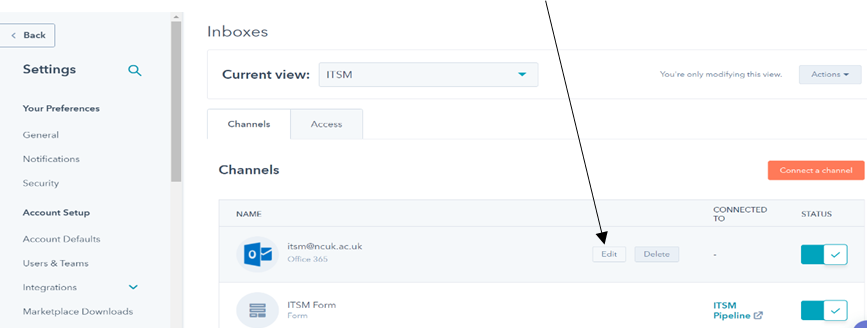
- Click on Edit -> Add Team Signature
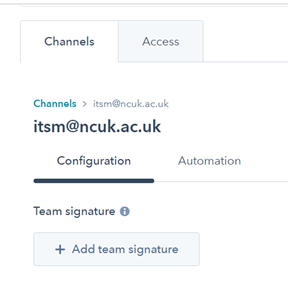
- Enter your signature in the text box.
- In the Simple editor, use the icons to format the text, insert a link, or insert an image.
- Or click ‘HTML’ and edit the HTML of your signature.
- Click ‘Save’.